1–3 books
Window display
Every book face out and large, like a bookshop window.
Coming soon3D bookshelves for Shopify bookstores
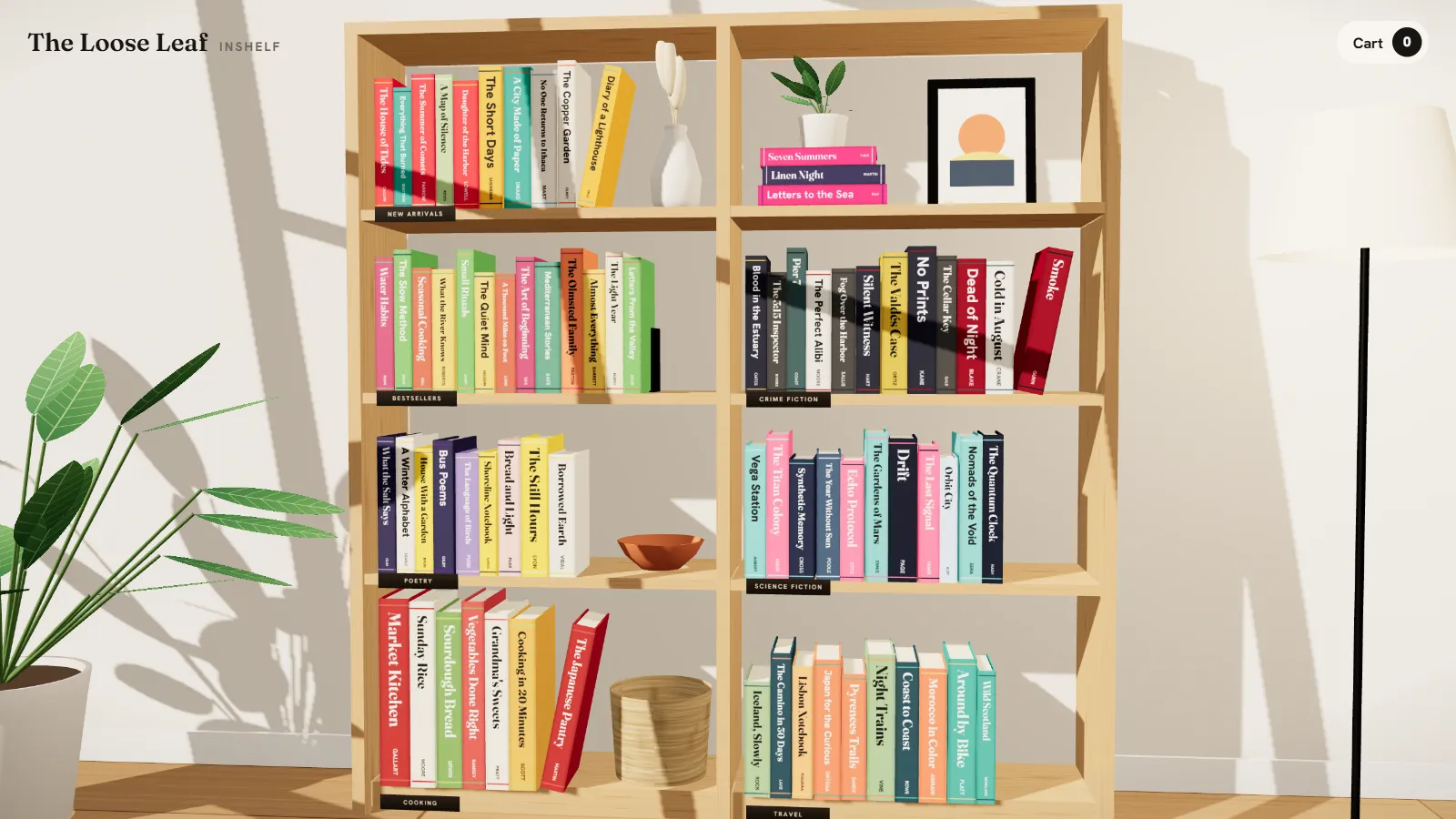
InShelf turns your store's catalog into a 3D bookshelf: every collection is a shelf and every product a book your customers can pull out and buy.
Click a book to pull it off the shelf
Before and after
Drag the handle. On the left, a bookstore like almost every other one on Shopify. On the right, the same store with InShelf.
Try it
This is the Living room scene with a sample bookstore's catalog. Step in, get closer to a shelf and pull out a book.
#shelf.
Included in the app
The Bookshelf strip block comes with InShelf at no extra cost. It's a 3D shelf with no buttons and no background: it slides as you scroll down the page, and the book in the middle comes out to show its cover. Try it right here.
Scroll down the page and watch it move. You can also drag the shelf or click a book.
1-minute setup
In Shopify, go to Online Store → Customize and click Add block in any section.
You'll find it under Apps, next to the other InShelf blocks.
Its books go into the strip. Leave it empty to use books from the whole bookshelf.
Changes show up instantly in the store above.
How it works
Nothing to design, no code to touch. InShelf reads what you already have in Shopify and builds the bookshelf for you.
From the Shopify App Store, in one click. You start on the free plan, no card needed.
InShelf imports products, covers, descriptions and collections. Every product becomes a 3D book with a spine generated from its cover, and every collection becomes a shelf.
#shelf to your menuCreate a link to #shelf in your store's menu. When clicked, the bookshelf opens full screen on top of your site.
What your customers see
The bookshelf lives in a room with a wooden floor, plants and a lamp. Zoom in with the scroll wheel, the buttons or a pinch on mobile.
Click a spine and that section lines up while the book comes forward with its cover, author and price.
Each shelf re-sorts instantly. Sorting by color turns the bookshelf into a gradient of spines.
The button uses your store's own cart. Badges like New, Signed or −15% show on the cover and in the book details.
Formats
With only a few books you won't see empty shelves. InShelf picks the furniture based on how many books you have, and you can change it from the app.
Every book face out and large, like a bookshop window.
Coming soonA floating shelf with spines, one book face out and bookends.
Coming soonTwo or three shelves, one per collection.
Coming soonThe full bookcase in a room, with one section per shelf. It's the scene in the demo.
AvailableSeveral bookcases in a row, with search and loading in stages.
Coming soonThe app
Pricing
Paid plans include a 7-day free trial. They're billed through your Shopify invoice and you can cancel anytime.
To try InShelf with your real catalog.
For independent bookstores and publishers.
For large catalogs and several bookshelves.
Prices in US dollars, excluding taxes. If Shopify bills you in euros, plans cost €9.99 and €19.99.
FAQ
No. The 3D engine only downloads when a customer opens #shelf. The rest of your store loads just like it does now, and on mobile the scene uses a lighter version.
No. InShelf generates the spine and back cover from each product's cover: it picks the color, sets the title and author in the font you choose and adjusts the contrast so they're easy to read.
It still gets a book, with a typographic cover showing its title and author. The Books screen shows you which ones are like that in case you want to upload an image.
Yes. It's all touch: pinch to zoom in, tap a book to open it and swipe to go to the next one.
The bookshelf shows the products you choose. If your store also sells tote bags or bookmarks, you can leave them out from the Books screen.
Your store stays exactly as it was. InShelf doesn't touch your products or your theme; it only adds the bookshelf while the app is active.